Installation
Note
If you have any issues do not hesitate to get in touch via info@configurate.net.
You will be provided with the following files:
curves_to_mesh.zip - the main add-on file (do not unzip).
samples.zip - a set of example files for the main add-on.
animation_nodes_curves_to_mesh.zip - an extension add-on for animation nodes (do not unzip).
animation_nodes_samples.zip - A set of sample.blend files demonstrating the animation node setup.
Instructions for how to install the add-on and additional features are below.
Main Add-on Installation
Blender 4.2 and Above
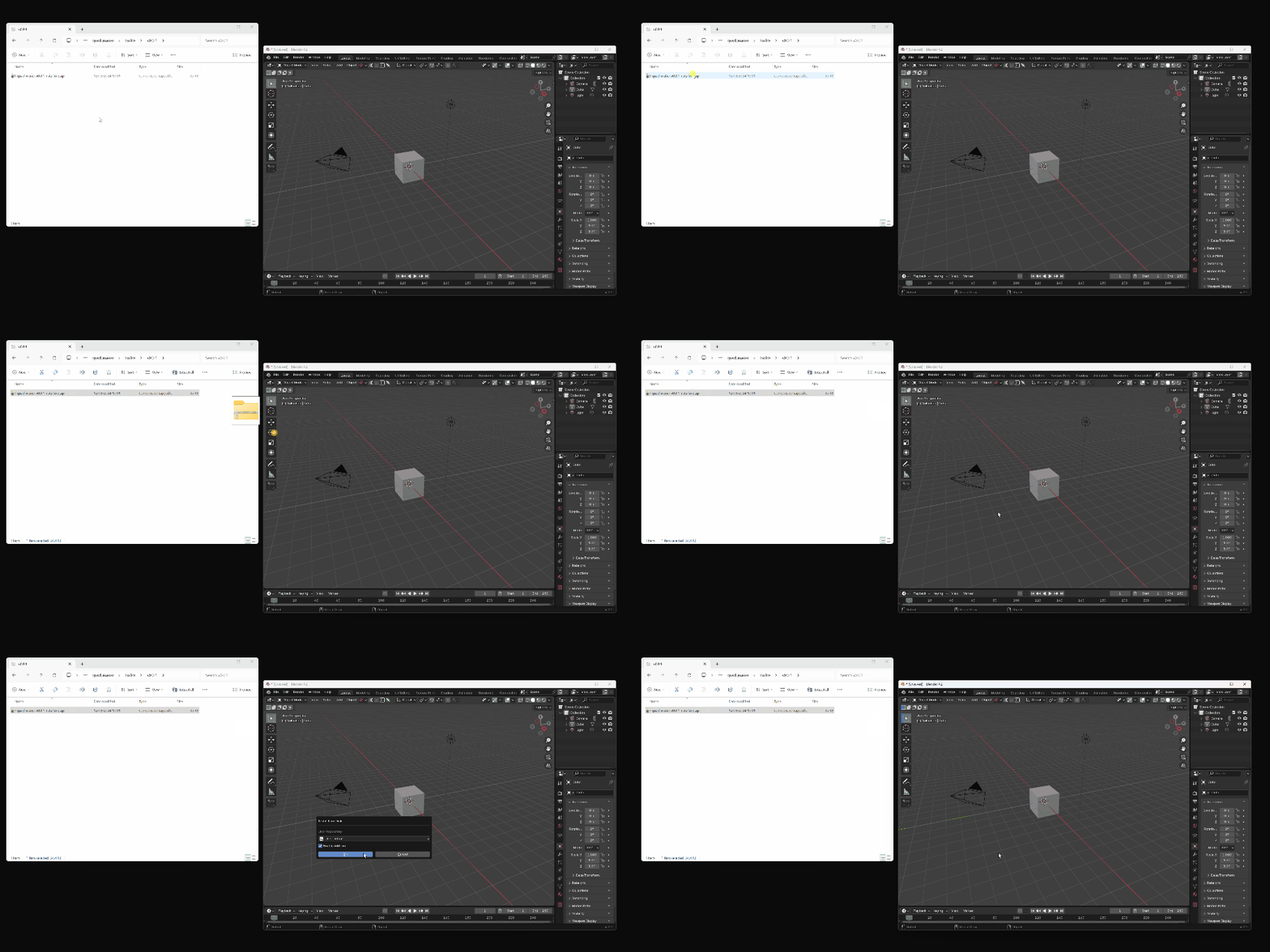
Drag and drop the installation zip file into Blender to install the add-on.
You can then follow the steps in the Getting Started Guide.
Previous Blender Versions
The add-on can be installed through the Blender UI:
Go to Edit -> Preferences.
Select the Add-ons tab on the left it is not already.
Select the Install… button along the top.
This will open a file dialog where you should navigate to where you have downloaded the “Curves To Mesh” zip file. This file should not be unzipped.
Then, click the “Install add-on from file” button.
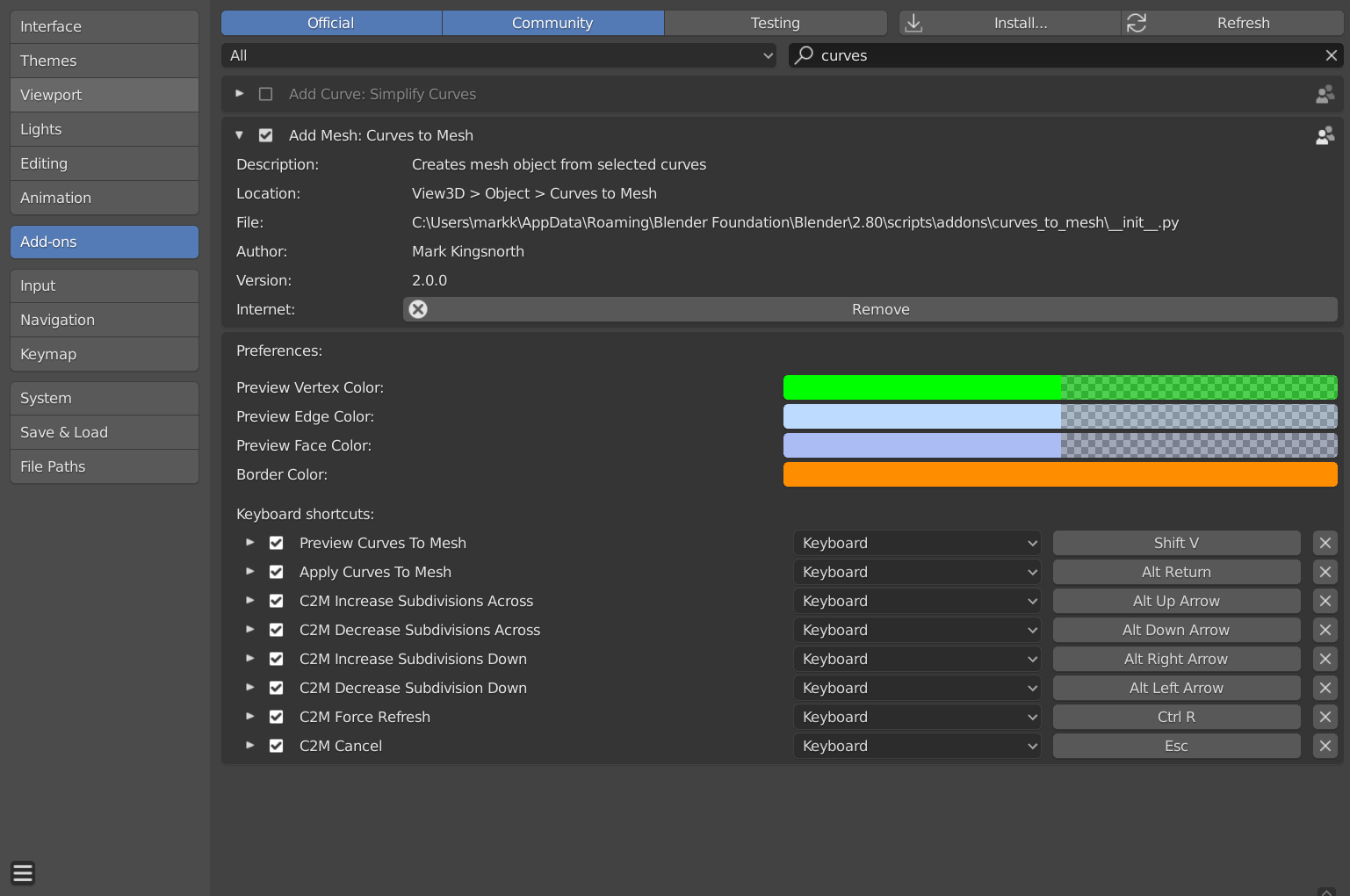
Search for the add-on by typing “Curves to Mesh” in the search box if it does not already appear.
Make sure the checkbox next to the Add-on (Add Mesh: Curves to Mesh) is ticked.
Next, search for the name “Curves To Mesh” in the search bar. You should see the add-on entry under “Add Mesh: Curves to Mesh”.
Check the checkbox for this entry.
The options that appear under the entry allow you to change the colours of the Preview Mode, as well as change the keyboard shortcuts relating to the tool.